How to Reset Password of New GoG ePay Services Portal 2026
Forgot your GoG ePay Services password and now locked out of your EPayslip account? It can be frustrating when you urgently need to check your salary details, download your payslip, or complete official work but you cannot log in.
The good news is that resetting your password on the GoG ePay Services portal is quick and easy. In this complete guide, you will learn the step-by-step process to reset your GoG ePay Services password.
Why Reset Your GoG ePay Services Password
There are several reasons why you need to reset your password:
- You forgot your password
- Your password is not working
- Your account is locked
- You entered the wrong password many times
- You want to create a new secure password
- The system asked you to update your password for security
Resetting your password will help you access your EPayslip again.
Requirements to Reset Password
Before you start, make sure you have the following information ready:
- Your Employee Number
- Your registered mobile phone number
- Internet connection
- Your mobile phone to receive OTP code
These are important for identity verification and account security.
Easy Steps Reset GoG ePay Services Password
Here are the simple steps to reset your password on the EPayslip portal. The process is easy to follow and can be completed in just a few minutes.
Step 1: Visit the Official GoG ePay Services Portal
On your internet browser open the official GoG ePay Services website.
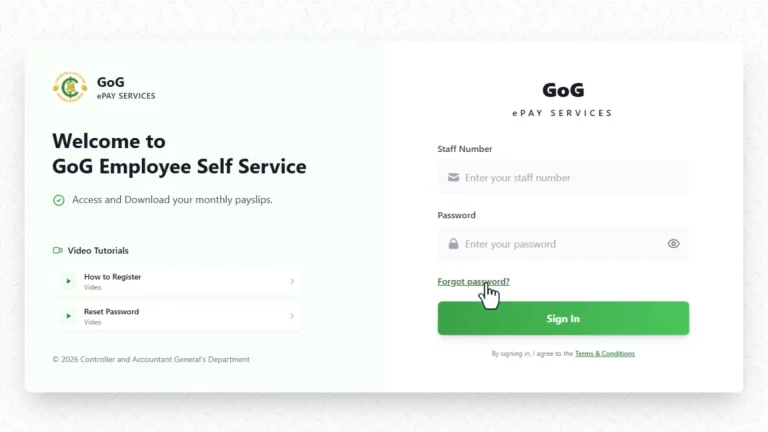
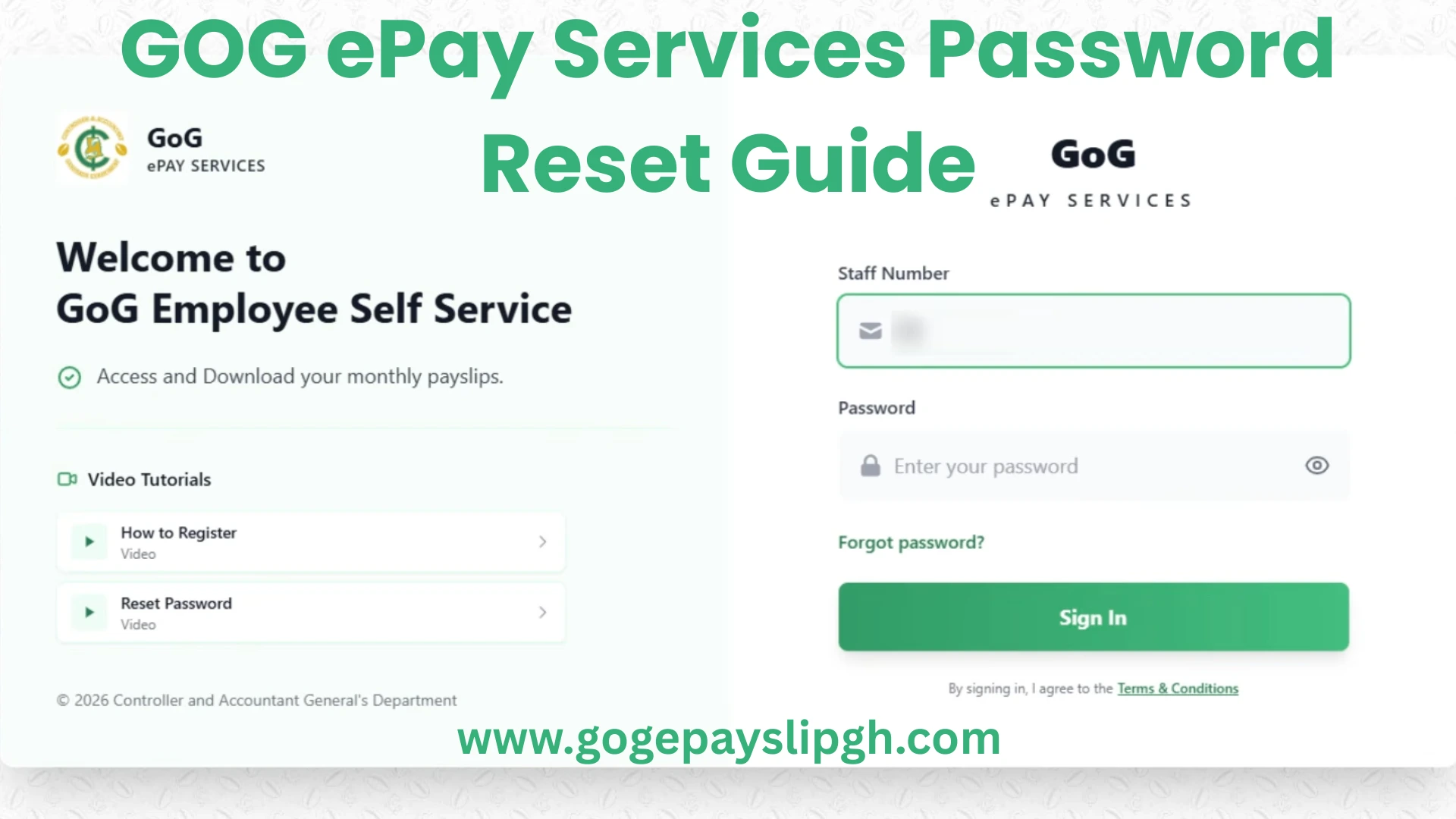
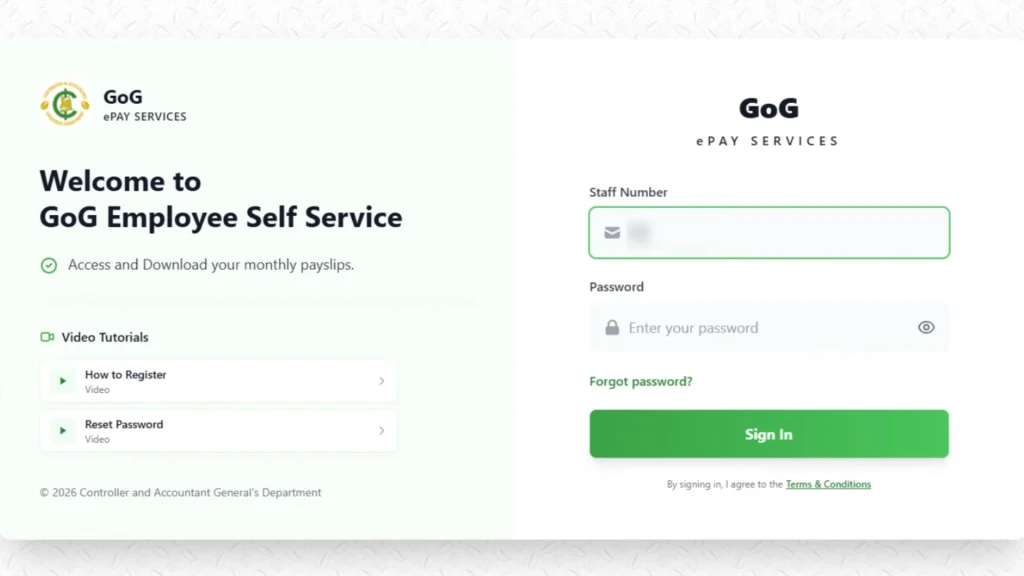
Once the website opens, you will see the login page, on this page, you will see:
- Employee Number field
- Password field
- Login button
- Forgot Password option
Step 2: Click on “Forgot Password”
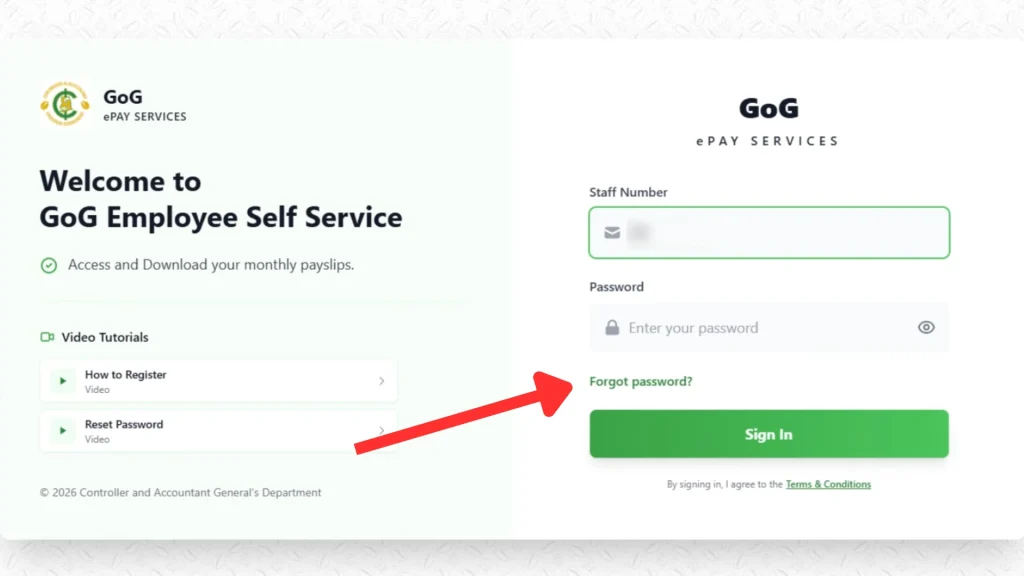
Below the login button, you will see the Forgot Password option.
Click on this option. This will open the password reset page. This page is designed to help users reset their password safely.
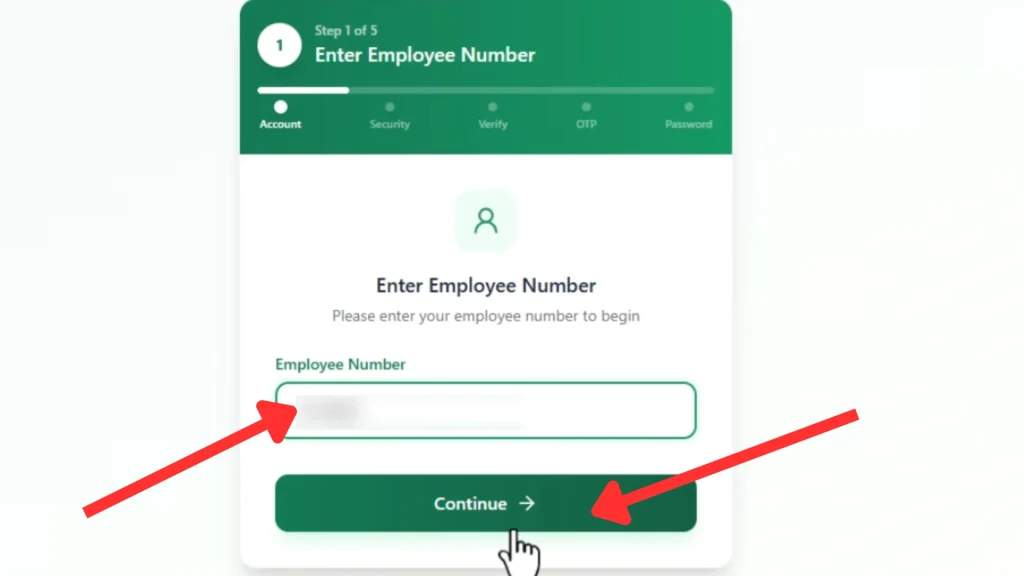
Step 3: Enter Your Employee Number
Now, you will see a field asking for your Employee Number. Enter your correct Employee Number.
Make sure:
- You enter the correct number
- Do not add extra spaces
- Check for typing mistakes
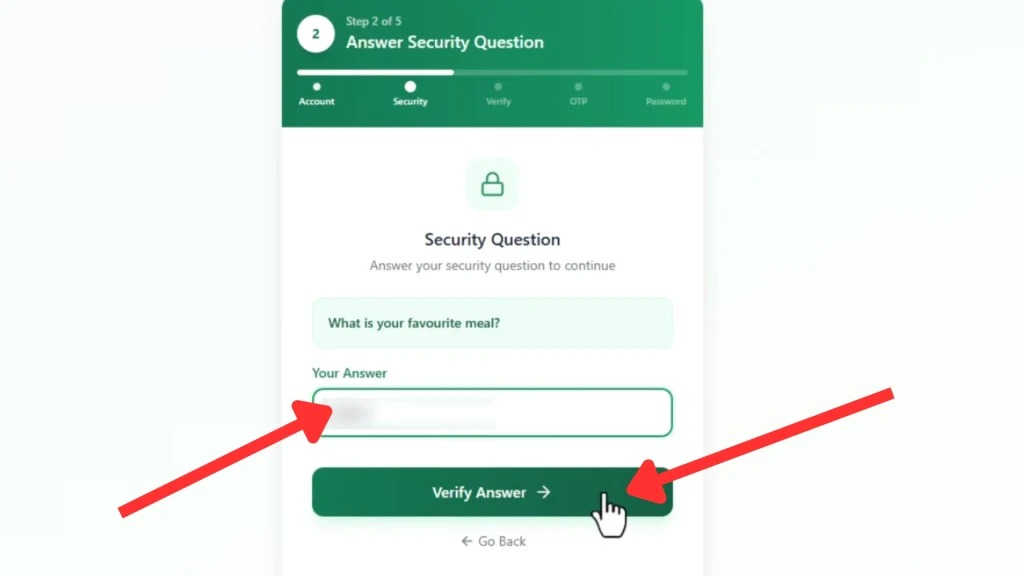
Step 4: Answer Your Security Question
On this page you will be asked to write the answer to your security question. During registration you saved this security question and its answer.
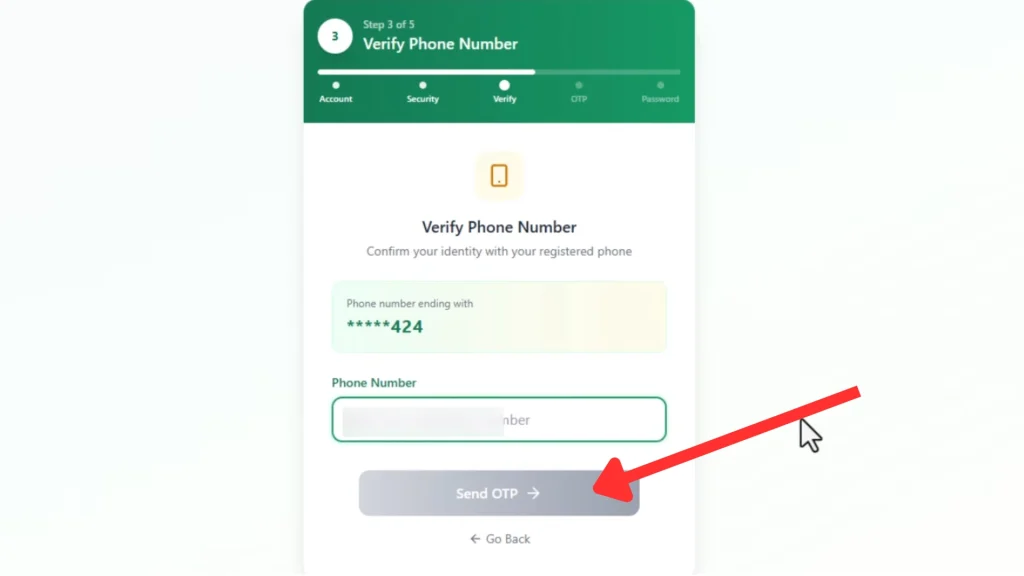
Step 5: Enter Your Registered Phone Number
Next, you will be asked to enter your registered mobile number. Enter the phone number that is linked to your EPayslip account.
This number is important because the system will send an OTP code to this number. After entering your phone number, click on the Continue or Submit button.
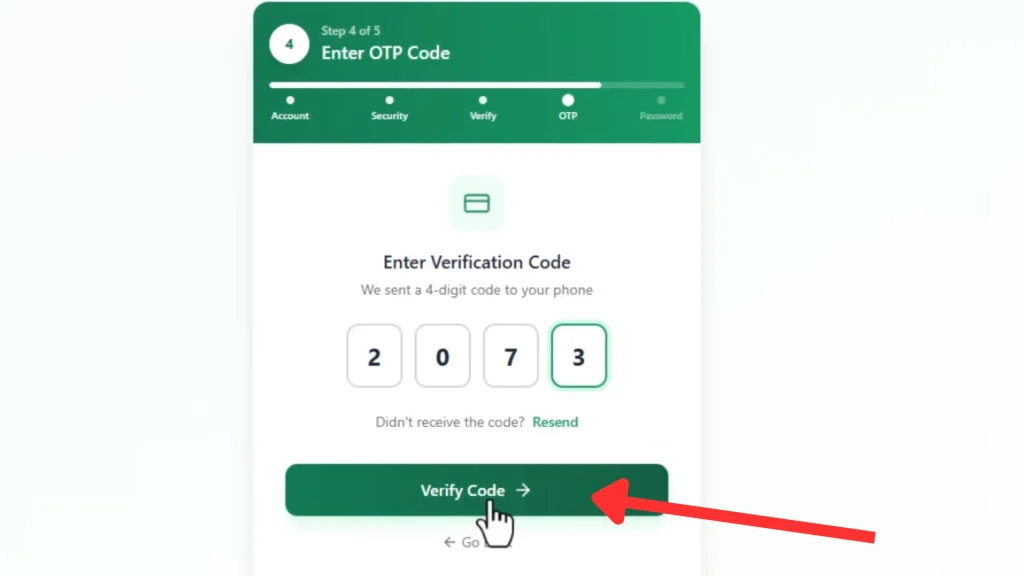
Step 6: Receive and Enter OTP Code
Now the system will send an OTP (One-Time Password) code to your mobile phone. Check your SMS messages. You will receive a code like this:
Example: 458921
Enter this OTP code in the OTP field on the website.
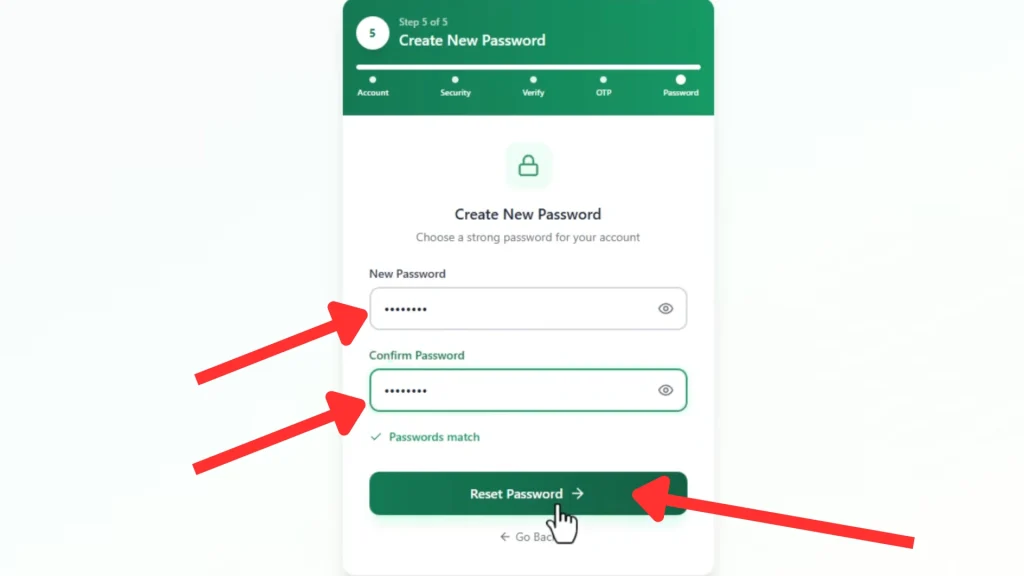
Step 8: Create a New Password
Now you will see the New Password and Confirm Password sections.
Enter your new password. Your password should be:
- At least 8 characters long
- Include letters (Abc…)
- Include numbers (123…)
- Include special characters (@,#,/,&,!)
Enter the same password again in the Confirm Password field.
Step 9: Click Submit Button
After entering your new password, click the Submit button.
The system will now reset your password. You will see a confirmation message such as:
“Password reset successful”

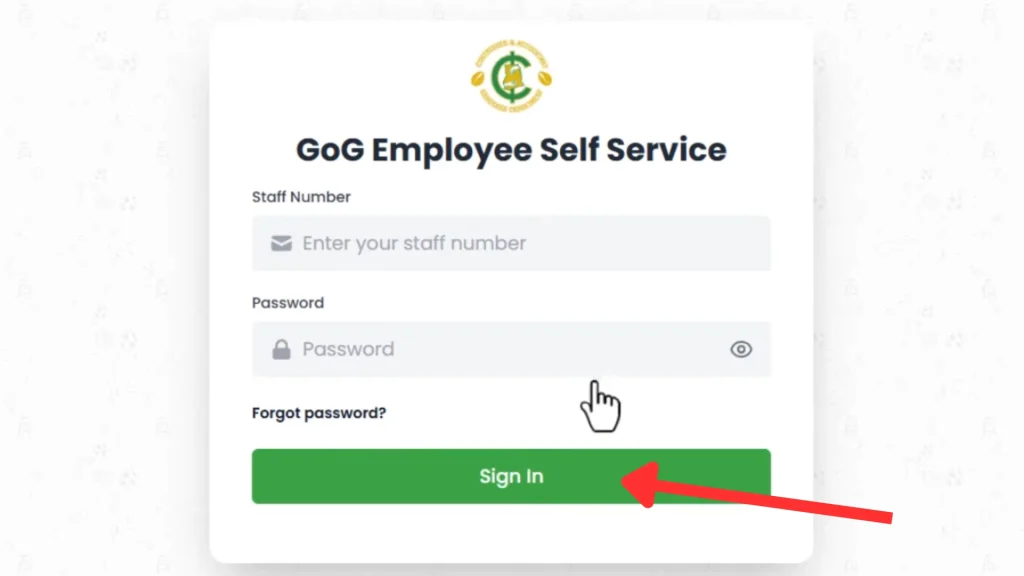
Step 10: Login with Your New Password
Now go back to the login page and enter:
- Your Employee Number
- Your new password
Click Login and you can now access your EPayslip account.
Tips to Secure Your EPayslip Account
Your salary information is very important, so you must keep your account secure. Follow these tips to make your account secure.
Use a strong password: Create a password that is difficult to guess. Use letters, numbers, and symbols.
Do not share your password: Never share your password with anyone, even friends or coworkers.
Do not use public computers: Avoid logging in on public computers such as internet cafes.
Always log out after use: If you use a shared computer, always click logout.
Keep your phone number updated: Your phone number is used for OTP verification.
Change your password regularly: This helps protect your account from hackers.
HelpDesk of GOGPayslip
If you are still facing problems, you can contact the official helpdesk of the Controller and Accountant-General’s Department.
Contact Numbers of Helpdesk:
- 0242162781
- 0552925395
- 0245289771
- 0505660003
- 0243340355
You can also contact them through:
- Your organization HR office
- Your department salary office
They will verify your identity and help you recover your account.
Common Problems and Solutions
OTP Not Received
Sometimes the OTP message may take a few minutes to arrive. Make sure your mobile network signal is strong and your phone can receive SMS. If you still do not receive it, wait and request the OTP again.
Wrong Employee Number
Entering an incorrect employee number will prevent you from resetting your password. Check your employee number on your EPayslip carefully. If you are not sure, contact your HR department for help.
Account Locked
Your account can be locked if you enter the wrong password multiple times. Wait for some time and try again later. If the issue continues, contact the helpdesk to unlock your account.
Website Not Opening
If the website does not load, check that your internet connection is working properly. Try refreshing the page or opening the site in a different browser. You can also clear your browser cache and try again.
Conclusion
Resetting your GoG ePay Services password is quick and easy if you follow the correct steps. In just a few minutes, you can recover your account and regain access to your EPayslip without any difficulty. The portal is designed to make the process simple while keeping your salary information safe and secure.
Always use a strong password and never share your login details with anyone. This helps protect your account from unauthorized access. If you face any issues during the password reset process, you can contact the helpdesk or your HR department for support and get your account restored quickly.