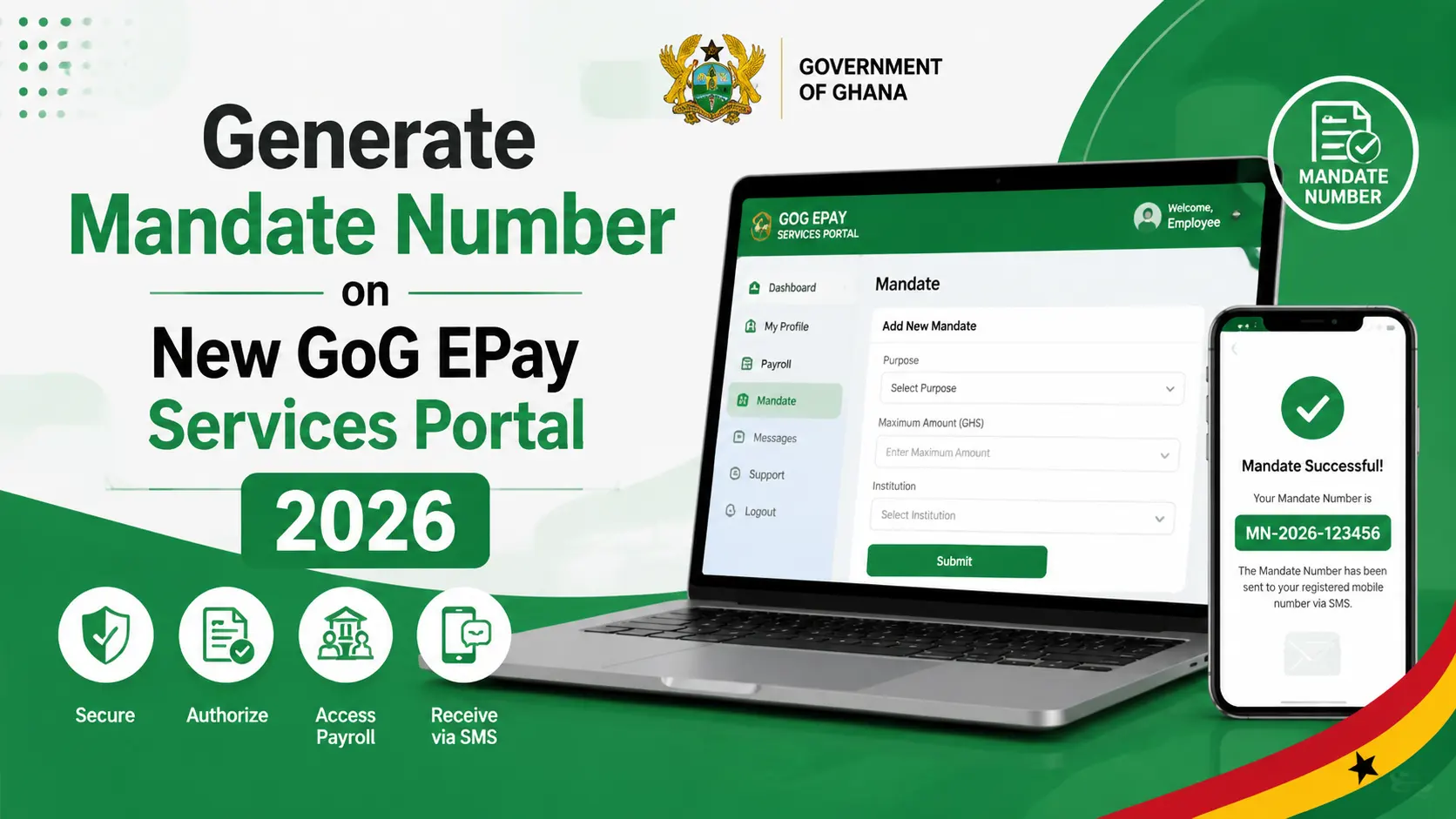
How to Generate Mandate Number on New GoG EPay Services Portal 2026
Government payroll processes can often feel confusing, especially when employees are asked to give third party institutions access to their salary details. Many Government of Ghana workers struggle to understand what a Mandate Number is, when it is required, and how to generate it correctly, which can lead to delays and repeated failed attempts.
The solution is provided directly through the GoG EPay Services portal, where employees can securely generate a Mandate Number after logging in with their verified details. The portal is designed to make the process simple, allowing users to submit authorization requests online and instantly receive their Mandate Number via SMS for official use.
What Is a Mandate Number?
A mandate number is a unique code that gives a third party institution (such as a bank offering you a loan) consent to access your payroll details for a specific purpose, up to a specific amount. It’s a security and consent mechanism managed by the Controller and Accountant General’s Department (CAGD).
Why Employees Generate Mandate Number
Government employees generate a mandate number mainly to authorize a third party to interact with their payroll information for a financial transaction. Without this authorization, banks, credit unions, and other institutions have no legitimate way to verify a government worker’s salary or set up a deduction against it. A mandate number solves this by giving CAGD a formal, traceable record of the employee’s consent.
Some of the most common reasons employees generate a mandate number include:
- Applying for a salary-backed loan from a bank or credit union that requires proof of a stable government salary
- Setting up a recurring deduction for a savings scheme, cooperative contribution, or insurance premium
- Subscribing to a third-party financial service that needs ongoing access to payroll data for affordability checks
- Authorizing a change in an existing financial arrangement, such as adjusting a deduction amount tied to a new agreement
In every case, the mandate number acts as proof that the employee and only the employee approved the transaction. This protects both the worker and CAGD from unauthorized or fraudulent deductions being applied to a government salary.
When Mandate Number Is Necessary
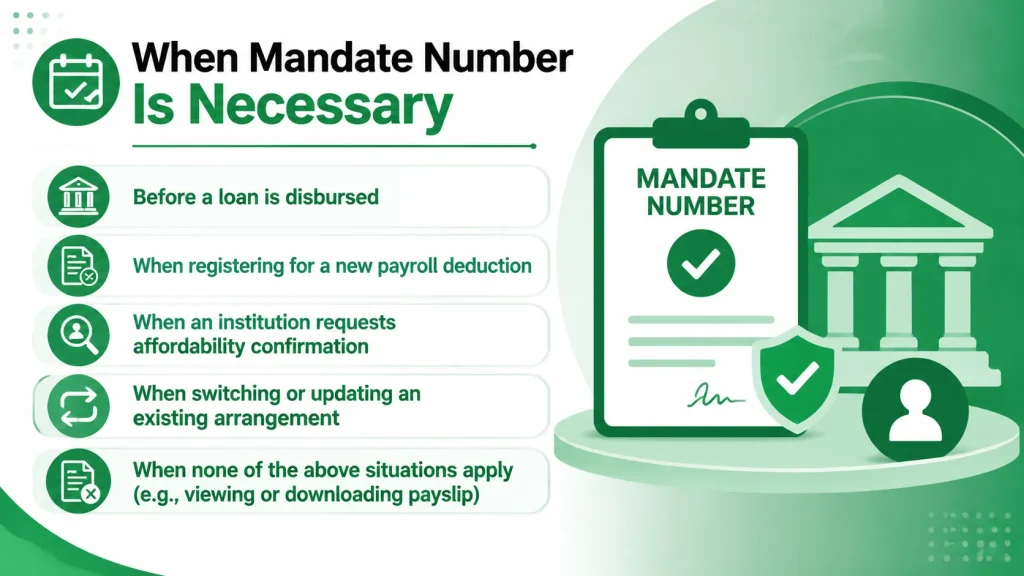
Not every payroll related activity requires a mandate number. It becomes necessary specifically when a third party institution needs formal, verifiable consent to access an employee’s payroll data or set up a deduction. Typical situations where a mandate number is required include:
- Before a loan is disbursed. Most banks and lending institutions will not release funds to a government employee until a valid mandate number has been provided and verified.
- When registering for a new payroll deduction. Any new deduction whether for a loan, insurance, or cooperative contribution needs a mandate to be added to the payroll system correctly.
- When an institution requests affordability confirmation. Lenders often need to confirm how much of an employee’s salary is already committed to existing deductions before extending new credit.
- When switching or updating an existing arrangement. If the purpose, amount, or institution tied to a deduction changes, a fresh mandate is generally required.
If none of these situations apply for example, if you simply want to view or download your monthly payslip, you do not need to generate a mandate number. It’s specifically tied to third party financial authorization, not general payslip access.
Requirements to Generate Mandate Number
Make sure you have:
- A registered account on the GOG EPay Services portal
- Your Employee Number (Staff ID) and password
- Your Ghana Card linked to your profile
- An active, registered mobile phone number (for SMS confirmation)
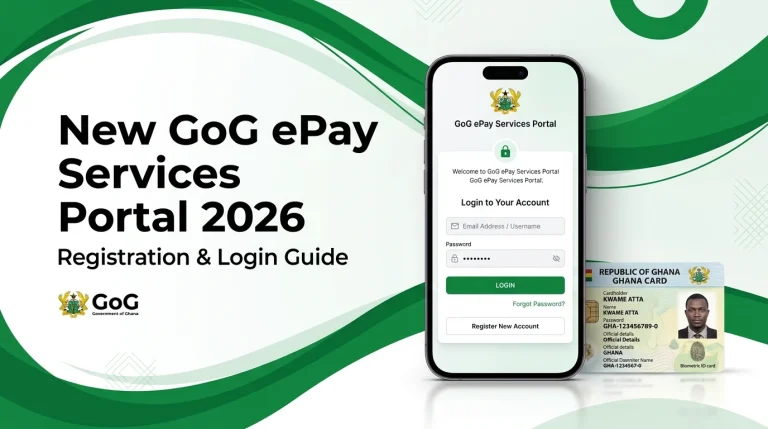
If you haven’t registered yet, complete registration first using your Ghana Card and registered phone number before attempting to generate a mandate.
Steps to Generate Mandate number
Step 1: Log In
- Enter your Employee Number (Staff ID) and Password
- Complete the required verification
- If you’re not yet registered, complete registration first using your Ghana Card and registered phone number
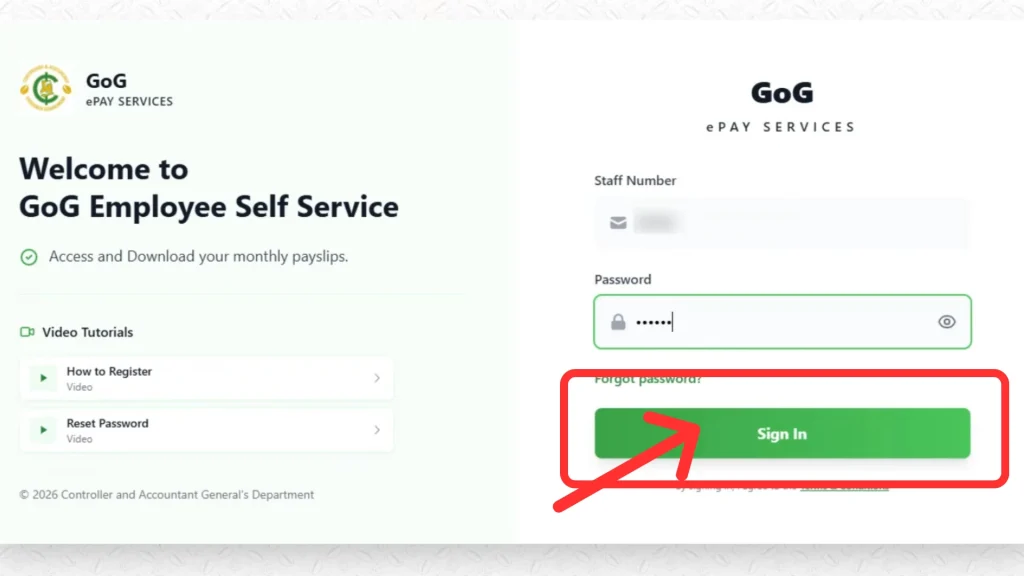
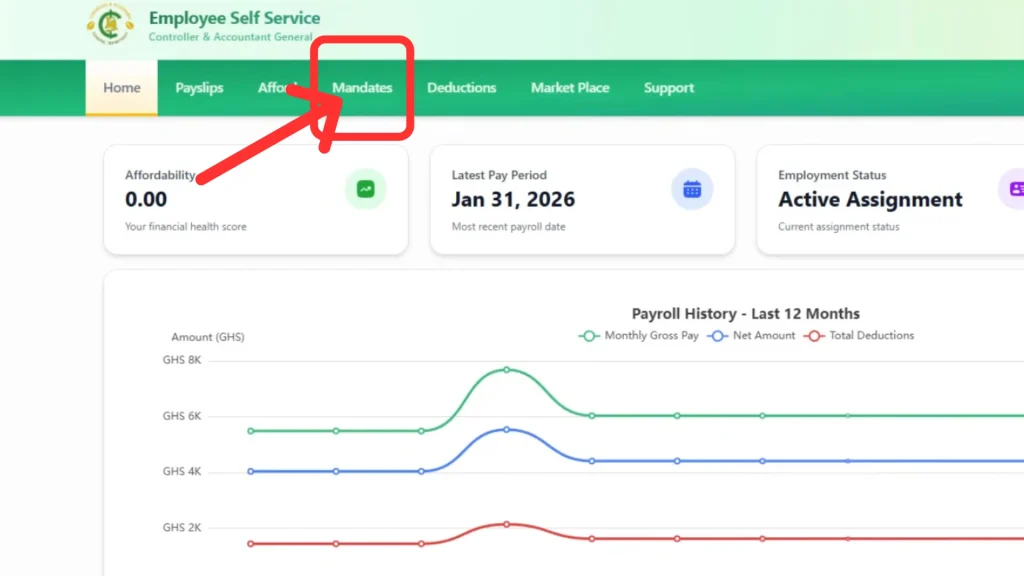
Step 2: Select “Mandate”
Once logged in, click on “Mandate” from your dashboard.
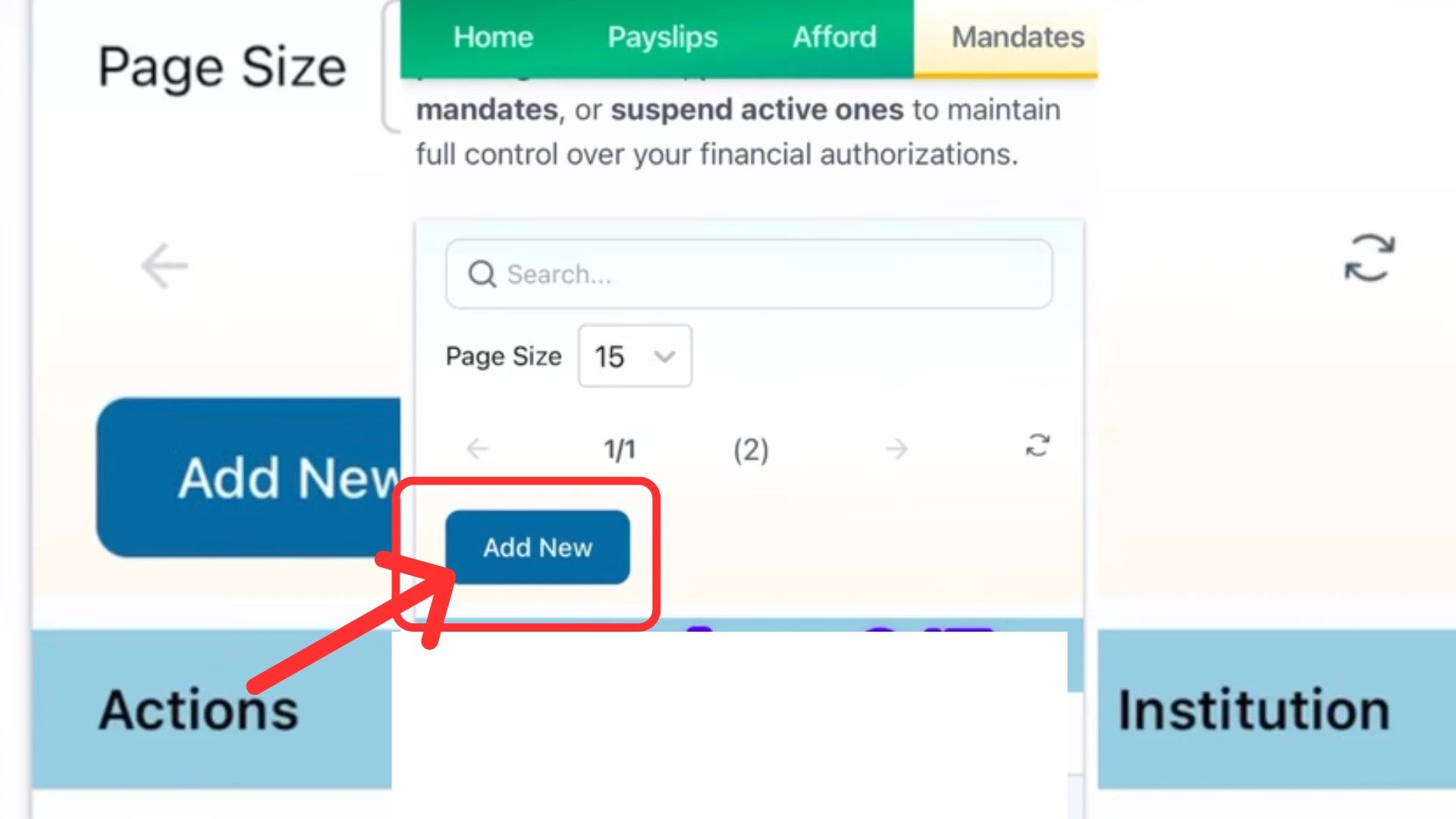
Step 3: Click “Add New”
Here you can add a new mandate. Click on the “Add New” button to generate a new mandate.
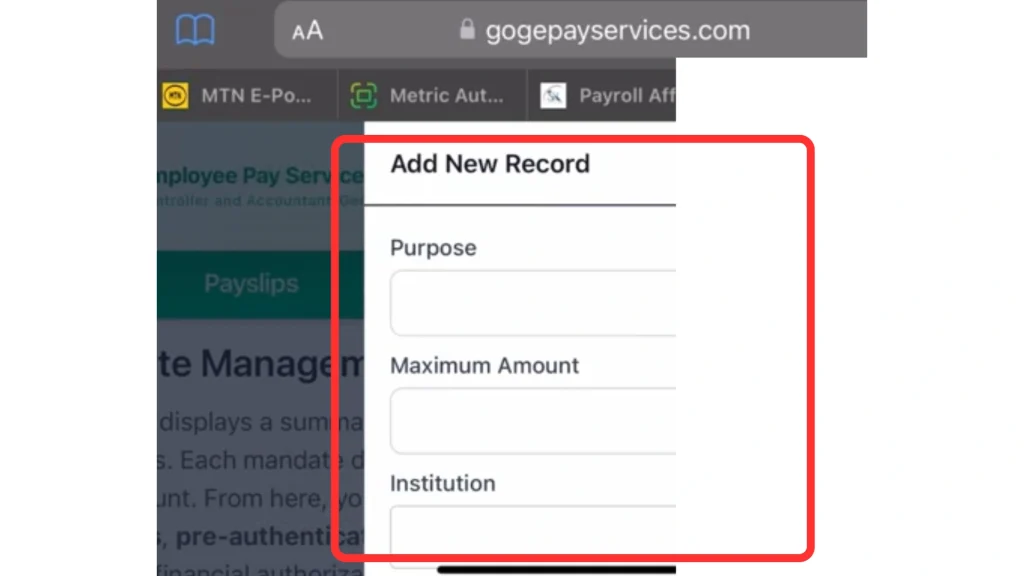
Step 4: Provide Details
Fill in the required fields:
- Purpose
- Maximum Amount
- Institution
Then click Submit.
Step 4: Confirmation
An SMS notification containing your Mandate Number will be sent to your registered mobile number.
Important Note:
- You must be fully registered and logged in to generate a mandate.
- Ensure your registered phone number is active to receive the SMS code.
- If you continue to experience challenges after following these steps, contact your HR unit or use the official support channels on the portal.
Benefits of Mandate Number
The mandate system offers real advantages to employees, financial institutions, and CAGD alike:
- Security and fraud prevention. Because a mandate can only be generated by the employee after logging in with verified credentials, it prevents unauthorized parties from setting up deductions without consent.
- Transparency. Employees know exactly which institutions have access to their payroll information and for what purpose, since every mandate specifies a defined purpose, amount, and institution.
- Faster loan and service approvals. Because the mandate number gives lenders a verified, CAGD recognized way to confirm salary and affordability, it can speed up loan processing compared to manual verification methods.
- Reduced paperwork. The entire process happens digitally through the portal, removing the need for physical letters or in-person visits to CAGD offices for standard authorizations.
- Better record keeping. Since each mandate is logged in the system, employees and CAGD have a clear digital trail of every third-party authorization ever issued, which is useful in case of disputes over deductions.
- Employee control. Employees decide the maximum amount and purpose for each mandate, meaning institutions can’t request more access than what was explicitly authorized.
Tips to Generate Mandate Number Securely
Generating a mandate number is a simple process, but a few small habits can help you avoid delays or repeat attempts:
Confirm Your Phone Number Is Active
Since the mandate number is delivered via SMS, an inactive or incorrect number is the most common reason employees don’t receive their confirmation.
Double Check Your Login Credentials
Have your Employee Number (Staff ID) and password ready so you can login easily, especially if you don’t log in often.
Get The Institution Details Correct
Confirm the exact name of the institution requesting the mandate, since errors here can cause processing delays or require you to resubmit.
Know Your Maximum Amount
Check with the institution requesting the mandate about the exact amount they need authorized so you’re not guessing when filling out the form.
Keep Your Ghana Card Details Up to Date
Since the portal ties your identity to your Ghana Card, any mismatch between your card and payroll records can block the mandate process entirely.
Use A Stable Internet Connection
Since the process involves real-time verification and SMS delivery, an unstable connection can interrupt the process partway through.
Save Your Mandate Number
Once the SMS arrives, note the number down or take a screenshot immediately so you have it on hand when the institution asks for it.
Avoid Submitting Multiple Mandate Requests
If you don’t receive the SMS right away, wait a few minutes before trying again rather than submitting duplicate requests, which can cause confusion in your records.
Mandate Number Problems and Solutions
Even with a straightforward process, employees may still face challenges while generating a Mandate Number. Below are the most common issues and their solutions.
Not Receiving SMS with the Mandate Number
This issue usually occurs when the registered mobile number is incorrect, inactive, or experiencing poor network coverage. As a result, the SMS containing the Mandate Number may not be delivered on time.
To resolve this, confirm that your registered phone number is active and correctly linked to your profile. Then try generating the Mandate again. If the problem continues, contact your HR department to update your phone details.
Unable to Log In to the Portal
This problem happens when the Employee Number or password entered is incorrect, or when the user has not completed registration on the new portal. It prevents access to the dashboard entirely.
To fix this, carefully check your login details and use the password recovery option if needed. If you are not registered yet, complete the registration process using your Ghana Card and registered phone number before attempting to log in.
Mandate Option Not Visible on the Dashboard
Sometimes users cannot see the “Mandate” option because their registration is incomplete or their Ghana Card details have not been verified against payroll records. This makes the feature unavailable on the dashboard.
To resolve this, confirm that your registration is fully completed and your details are verified. If everything is correct but the option is still missing, contact your HR unit or portal support for assistance.
Ghana Card or Personal Details Mismatch
This issue occurs when there is a mismatch between your Ghana Card information and your payroll records. The system flags this inconsistency and blocks further processing.
To fix this, report the issue to your HR department, as only they can update and correct payroll records to match your Ghana Card details.
Mandate Submitted but No Confirmation Received
This happens when a mandate request is submitted but the confirmation SMS is delayed or not received due to processing time or system delays.
In this case, wait a few minutes before taking further action. Avoid resubmitting repeatedly and instead check with CAGD support or your HR unit to confirm whether the mandate was successfully recorded.
General Portal Downtime or Slow Performance
At times, the GOG EPay Services portal may experience slow performance or temporary downtime due to maintenance or system updates. This can affect access to features like mandate generation.
The best solution is to wait and try again later when system performance stabilizes. If the issue persists for a long period, contact support to check if there is a wider system outage.
Conclusion
Generating a Mandate Number on the new GoG EPay Services portal is designed to be simple, fast, and secure for every Government of Ghana employee. Once you are properly registered and logged in, the portal guides you through a clear process that ensures your payroll authorization is handled safely and without confusion. It removes the need for manual paperwork while giving you full control over who can access your salary information and for what purpose.
The system also strengthens security and transparency by ensuring every request is verified and properly recorded by CAGD. To avoid delays, always keep your registered phone number active, enter correct details such as purpose, amount, and institution, and make sure your profile information is up to date. If any issue arises, your HR unit or the portal support team can help resolve it quickly, allowing you to complete the process in just a few minutes.